Embarking on a journey to revolutionize your video production, this guide delves into the transformative power of artificial intelligence in accelerating your editing workflow. We will explore how AI is not just a futuristic concept but a present-day tool capable of streamlining complex tasks, unlocking new levels of efficiency, and ultimately empowering creators to produce higher quality content in less time.
From understanding the fundamental principles of AI’s contribution to video editing speed to discovering a curated selection of powerful AI-driven tools, this comprehensive overview is designed to equip you with the knowledge and practical strategies needed to harness this technology. We will navigate through automating repetitive tasks, enhancing visual and audio elements, and intelligently organizing your footage, paving the way for a more dynamic and productive editing experience.
Understanding AI’s Role in Video Editing Speed
Artificial intelligence is rapidly transforming various industries, and video editing is no exception. By automating repetitive tasks and offering intelligent suggestions, AI empowers creators to produce high-quality videos more efficiently than ever before. This section explores how AI contributes to accelerating the video editing workflow, its core functionalities, and clarifies common misconceptions.The integration of AI into video editing software moves beyond simple automation.
It involves sophisticated algorithms that can analyze content, understand context, and perform complex operations that previously required significant human intervention and time. This leads to a substantial reduction in the manual effort needed, allowing editors to focus on creative decision-making rather than tedious groundwork.
Core AI Functionalities Enhancing Editing Speed
AI’s impact on video editing speed is primarily driven by its ability to perform specific, time-consuming tasks with remarkable efficiency. These functionalities range from intelligent content analysis to automated post-production processes.AI-powered tools can significantly expedite the editing process through several key functionalities:
- Automated Transcription and Subtitling: AI can instantly transcribe audio from video clips, generating accurate text that can be used for subtitles, captions, or even as a searchable index of your footage. This eliminates the hours spent manually typing out dialogue.
- Scene Detection and Segmentation: Algorithms can analyze video footage to automatically identify scene changes, breaking down long recordings into manageable clips. This makes it much faster to locate specific moments or to assemble a rough cut.
- Smart Content Analysis and Tagging: AI can analyze the visual and auditory content of clips, automatically tagging them with relevant s (e.g., “person,” “car,” “music,” “dialogue”). This greatly improves media organization and searchability, allowing editors to quickly find the specific shots they need.
- Automated Color Correction and Grading: AI can analyze the color balance and lighting in clips and suggest or automatically apply color corrections to achieve a consistent look. Some advanced AI can even mimic specific cinematic styles.
- Intelligent Object and Face Recognition: AI can identify and track specific objects or individuals within a video. This is invaluable for tasks like automatically blurring faces for privacy, isolating specific subjects for effects, or creating dynamic camera movements that follow a person.
- Automated Audio Enhancement: AI can analyze audio tracks to reduce background noise, equalize levels, and improve overall clarity. This saves considerable time compared to manual audio mixing and mastering.
- Smart Cutting and Rough Cut Generation: Some AI tools can analyze footage and automatically assemble a preliminary rough cut based on criteria like pacing, dialogue, or emotional tone. While requiring human refinement, this provides a solid starting point.
Common Misconceptions About AI in Video Editing
Despite its growing capabilities, there are persistent misconceptions about what AI can and cannot do in video editing. Understanding these distinctions is crucial for setting realistic expectations and leveraging AI effectively.Several common misconceptions can hinder the adoption and effective use of AI in video editing:
- AI Replaces Human Creativity: A prevalent myth is that AI will entirely replace human video editors. In reality, AI is a tool that augments human creativity, automating the mundane so editors can focus on storytelling, artistic vision, and nuanced decision-making. AI excels at repetitive tasks, but human judgment, emotion, and artistic intent remain paramount.
- AI Editing is Always Perfect: While AI is highly capable, its output is not always flawless. Automated transcriptions may contain errors, scene detection might miss subtle transitions, and automated color grading might not always align with a specific artistic vision. Human oversight and refinement are still essential.
- AI Requires Extensive Technical Expertise: Many AI-powered editing tools are designed with user-friendliness in mind. While some advanced applications might require a deeper understanding, a growing number of AI features are integrated seamlessly into existing software, making them accessible to a wider range of users.
- AI Can Read and Understand Complex Narratives: While AI can analyze content for s and patterns, it does not possess true narrative comprehension or emotional intelligence in the human sense. It cannot fully grasp the subtle nuances of a story or the intended emotional impact of a scene without human guidance.
- All AI Video Editing Tools are Equal: The effectiveness and capabilities of AI tools vary significantly. Some are highly specialized for specific tasks, while others offer broader functionalities. It’s important to research and select tools that align with your specific editing needs and workflow.
AI-Powered Tools for Faster Editing
The landscape of video editing is rapidly evolving, with Artificial Intelligence emerging as a powerful catalyst for increased efficiency and creativity. AI-driven tools are no longer a futuristic concept but a present-day reality, offering a suite of capabilities designed to streamline complex editing workflows. By automating time-consuming tasks and providing intelligent suggestions, these tools empower both seasoned professionals and aspiring creators to produce high-quality videos in a fraction of the time.This section delves into the practical application of AI in video editing, identifying key software and plugins that leverage this technology.
We will explore their core functionalities, compare their features, and categorize them by their primary use cases, providing a comprehensive overview of how AI can significantly accelerate your editing process.
Automating Repetitive Editing Tasks with AI
The efficiency gains offered by AI in video editing extend significantly to the automation of mundane and time-consuming tasks. By offloading these repetitive actions to intelligent algorithms, editors can reclaim valuable time and focus on the more creative and strategic aspects of their work. This shift not only accelerates the overall editing process but also leads to more consistent and polished results.AI’s capability to learn and execute repetitive actions with precision is a game-changer.
Instead of manually performing the same cuts, trims, or adjustments multiple times, AI can be trained to recognize patterns and apply them instantaneously across an entire project. This is particularly beneficial for projects with extensive footage or strict stylistic requirements.
Automated Cutting, Trimming, and Audio Synchronization
AI excels at identifying key moments within footage, significantly streamlining the initial assembly of a video. Tools powered by AI can analyze visual cues, motion, and even spoken dialogue to suggest or automatically perform cuts and trims. This capability is invaluable for quickly generating a first pass of a video, allowing editors to refine it rather than build it from scratch.Furthermore, AI is revolutionizing audio synchronization.
For footage captured with external microphones or multiple cameras, manually syncing audio tracks can be an arduous process. AI algorithms can analyze the waveforms of both video and audio, identifying unique sonic characteristics to align them automatically with remarkable accuracy. This saves hours of painstaking manual work, especially in documentary or interview settings.
Removing Filler Words and Silences
The presence of filler words like “um,” “uh,” “like,” and extended silences can detract from the professionalism and flow of a video. AI-powered transcription and analysis tools can identify and remove these elements automatically. This process typically involves:
- Transcription: The AI first transcribes the spoken audio in the video.
- Analysis: It then analyzes the transcript for specific filler words and pauses of a defined duration.
- Removal: Finally, the AI either directly edits these segments out of the audio track or flags them for manual review and removal by the editor.
This feature is particularly impactful for spoken-word content such as podcasts, interviews, and presentations, where clear and concise delivery is paramount. For instance, a 30-minute interview might be reduced to a more impactful 20 minutes by intelligently removing unnecessary verbal pauses and filler sounds.
AI-Assisted Rough Cut Generation
One of the most transformative applications of AI in editing is its ability to auto-generate rough cuts. By leveraging either a script or the content of the footage itself, AI can construct a preliminary edit.
- Script-Based Generation: When a script is provided, AI can identify relevant video clips that correspond to spoken lines. It then sequences these clips to create a narrative flow based on the script’s structure.
- Content-Based Generation: In cases where no script is available, AI can analyze the footage for key events, emotional cues, or visual interest. It can then assemble these elements into a coherent, albeit rough, narrative. For example, in a travel vlog, AI might identify scenic shots, action sequences, and moments of dialogue to create a preliminary sequence of highlights.
This capability dramatically reduces the initial time investment required to start editing. Instead of staring at a blank timeline, editors are presented with a foundational edit that can be quickly refined, saving a substantial amount of time, especially in fast-paced production environments.
Enhancing Footage and Visuals with AI
Beyond streamlining the editing process, Artificial Intelligence is revolutionizing how we enhance the raw footage itself, transforming less-than-ideal shots into polished, professional-grade visuals. This section delves into the powerful AI capabilities that elevate the quality of your video content, making it more impactful and visually appealing with remarkable efficiency.AI’s role in visual enhancement is multifaceted, offering solutions for common issues like low resolution, poor clarity, and undesirable camera shake.
These tools not only save considerable time compared to manual methods but often achieve results that were previously difficult or impossible to attain.
AI-Powered Video Resolution Upscaling and Clarity Improvement
The ability to increase the resolution of existing footage without significant quality loss was once a distant dream. AI has made this a reality, enabling editors to breathe new life into older or lower-resolution clips. These algorithms analyze existing pixels and intelligently generate new ones, effectively “reconstructing” the image at a higher resolution. This is particularly valuable for projects that require a consistent visual quality across different sources or for repurposing archival footage.AI models are trained on vast datasets of images and videos, allowing them to understand patterns, textures, and details.
When upscaling, they don’t just stretch the image; they intelligently add detail that is contextually appropriate, resulting in sharper and clearer visuals. This can turn a grainy, standard-definition clip into something that appears much closer to high definition, making it suitable for modern displays and broadcast standards.
Automatic Color Grading and Correction with AI
Achieving consistent and aesthetically pleasing color grading can be a time-consuming and subjective process. AI-powered tools can automate much of this work, analyzing the footage and applying color corrections and stylistic grades based on predefined aesthetics or by matching the look of reference footage. This is incredibly useful for maintaining a uniform visual tone throughout a video, especially when dealing with footage shot under varying lighting conditions.These AI systems can identify and correct issues such as white balance imbalances, exposure problems, and color casts.
Furthermore, they can learn and apply specific cinematic looks, such as a warm, vintage feel or a cool, modern aesthetic, with just a few clicks. This not only speeds up the grading process but also democratizes access to professional color correction techniques, allowing editors of all skill levels to achieve stunning results.
AI’s ability to analyze color and light is rapidly advancing, offering editors sophisticated tools for consistent and impactful visual storytelling.
Stabilizing Shaky Footage Using AI
Camera shake is a common problem that can detract significantly from the viewing experience. While manual stabilization techniques exist, they can be complex and often introduce artifacts or crop the image excessively. AI-driven stabilization offers a more intelligent and often more effective solution.AI algorithms analyze the motion within the footage frame by frame. They identify unwanted jitters and camera movements and then intelligently counteract them, creating a smoother, more stable final output.
This process is remarkably efficient, allowing editors to salvage otherwise unusable footage. Many AI stabilization tools are designed to minimize cropping and preserve as much of the original frame as possible, ensuring that the viewer’s focus remains on the content rather than the camera’s instability.
AI for Content Organization and Selection
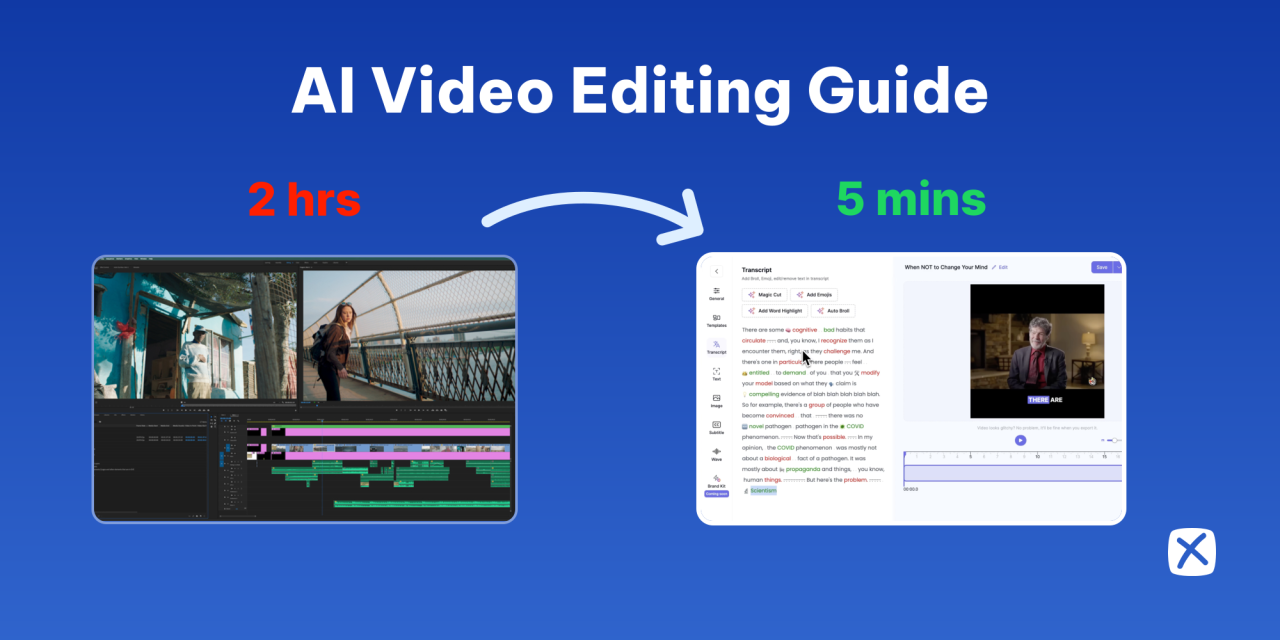
In the whirlwind of video production, managing and sifting through vast amounts of footage can be a daunting and time-consuming endeavor. Artificial intelligence offers a powerful solution by transforming raw clips into an organized and easily navigable library, significantly accelerating the editing process. This section explores how AI can streamline content organization and selection, enabling editors to focus on creative storytelling rather than tedious manual sorting.AI’s ability to understand, categorize, and identify key elements within video content revolutionizes how editors approach their projects.
By automating the initial stages of review and selection, AI empowers creators to spend more time on the art of editing and less on the mechanics of managing assets. This shift allows for quicker turnaround times and a more efficient creative workflow.
Designing a Workflow for AI-Powered Video Clip Analysis and Tagging
A robust workflow leveraging AI for video analysis and tagging is crucial for maximizing efficiency. This involves integrating AI tools at the ingestion stage and establishing clear protocols for how the generated metadata will be utilized throughout the editing process. The goal is to create a system where every clip is not only stored but also intelligently described, making it readily searchable and contextually relevant.The process typically begins with uploading raw footage into a platform equipped with AI analysis capabilities.
These tools can then automatically scan each clip, identifying various elements. The subsequent steps involve refining and utilizing this AI-generated data.
- Automated Transcription and Extraction: AI can transcribe spoken dialogue within video clips with high accuracy. This transcription is then analyzed to extract relevant s and phrases, which are automatically assigned as tags to the corresponding video files. For instance, a clip featuring a product demonstration might be tagged with “product name,” “features,” “how-to,” and “user benefits.”
- Scene and Object Recognition: Advanced AI models can identify objects, scenes, and even actions within video frames. This allows for the automatic tagging of clips based on their visual content. A travel vlog might be tagged with “beach,” “cityscape,” “sunset,” or “driving.”
- Facial Recognition and Emotion Analysis: For projects involving people, AI can identify specific individuals and even analyze their emotional expressions. This is invaluable for quickly finding clips featuring a particular person or capturing a specific mood or reaction.
- Metadata Integration and Custom Tagging: The AI-generated tags can be supplemented with manual input from editors. This hybrid approach ensures that all critical aspects of the footage are captured, allowing for highly specific searches later on. The system should support custom tag creation to accommodate unique project requirements.
- Workflow Integration: The AI analysis and tagging process should seamlessly integrate with existing editing software and asset management systems. This ensures that the generated metadata is readily accessible within the editor’s primary workspace.
Assisting in Identifying the Best Takes or Most Compelling Moments
Beyond simple tagging, AI can actively assist editors in pinpointing the most effective segments of their footage. This is achieved by analyzing the inherent qualities of each clip and comparing them against predefined criteria or learned patterns of compelling content.AI algorithms can be trained to recognize elements that contribute to engaging video. This includes analyzing factors such as clarity of speech, visual dynamism, emotional resonance, and narrative progression.
By processing these attributes, AI can provide a ranked list of clips or specific moments that are most likely to capture audience attention.
- Performance Analysis: For interviews or dialogue-heavy scenes, AI can analyze vocal intonation, clarity, and the presence of key information. It can flag takes where the speaker is most articulate, engaging, or delivers the most critical points.
- Action and Event Detection: In footage containing action sequences or significant events, AI can identify moments of peak activity or importance. This is particularly useful in sports, documentary, or event videography, where capturing the decisive moment is paramount.
- Emotional Arc Identification: AI can analyze visual and auditory cues to identify moments of heightened emotion, such as joy, surprise, or tension. This helps editors quickly locate segments that convey a specific emotional impact.
- Repetitive Segment Detection: AI can identify instances where similar content is repeated across multiple takes, helping editors to quickly select the strongest version and discard redundant clips.
- Engagement Scoring: Some AI tools can even provide an “engagement score” for different clips or segments, based on factors like pacing, visual interest, and potential for audience retention. This score can serve as a valuable guide for editors.
Organizing a Strategy for Leveraging AI to Create Highlight Reels or Summaries
The ability of AI to quickly identify and categorize compelling moments makes it an invaluable tool for generating highlight reels and video summaries. Instead of manually reviewing hours of footage to piece together a concise overview, AI can automate much of this process, drastically reducing production time.A strategic approach involves defining the purpose of the highlight reel or summary and then configuring AI tools to extract content that aligns with those objectives.
This ensures that the generated output is not only fast but also relevant and impactful.
- Defining Objectives: Clearly articulate the goal of the highlight reel or summary. Is it for social media promotion, a project overview, a recap of an event, or a demonstration of key achievements? The objective will dictate the criteria for content selection.
- AI-Driven Content Curation: Utilize AI’s tagging and analysis capabilities to filter clips based on the defined objectives. For a sports highlight reel, this might involve selecting clips tagged with “goal,” “score,” “save,” or “exciting play.” For a business summary, it could be clips tagged with “product launch,” “customer testimonial,” or “financial growth.”
- Automated Sequencing: Once relevant clips are identified, AI can assist in sequencing them. This might involve arranging clips chronologically, by theme, or by an AI-determined optimal flow for narrative impact. Some AI tools can even suggest pacing and transitions based on the content.
- Smart Editing for Summaries: For longer video summaries, AI can intelligently select the most impactful short segments from longer clips. This might involve identifying key sentences from interviews or visually dynamic moments from action sequences, creating a condensed yet comprehensive overview.
- Iterative Refinement: While AI can automate much of the process, human oversight remains essential. Editors can use the AI-generated highlights as a strong starting point and then manually refine the sequence, add specific creative touches, and ensure the final output perfectly aligns with the project’s vision.
AI in Audio Editing for Speed
Just as AI revolutionizes visual editing, it’s also a powerful ally in accelerating audio post-production. By automating complex and time-consuming tasks, AI empowers editors to achieve professional-sounding results with greater efficiency, allowing more focus on creative storytelling. This section explores how AI tools are transforming audio editing workflows.AI’s impact on audio editing is profound, moving beyond simple filters to intelligent processing that understands the nuances of sound.
This allows for rapid improvements that were once manual and laborious.
Automatic Audio Cleanup and Noise Reduction
Manual noise reduction can be an intricate and time-consuming process, often requiring careful adjustments to balance the removal of unwanted sounds with the preservation of desired audio quality. AI-powered tools analyze the audio spectrum to identify and isolate specific types of noise, such as hum, hiss, or background chatter, and then intelligently remove them without introducing artifacts or degrading the primary audio signal.AI algorithms are trained on vast datasets of various noises and clean audio, enabling them to distinguish between background distractions and the intended sound.
This leads to significantly faster and more effective cleanup compared to traditional methods. For instance, an AI can differentiate between the ambient noise of a coffee shop and the dialogue spoken within it, effectively silencing the former while leaving the latter pristine.
Voice Isolation and Enhancement
Extracting clear dialogue from complex audio environments, like a busy street or a room with multiple speakers, presents a significant editing challenge. AI excels at this by using sophisticated algorithms to identify and separate human speech from background sounds and other audio elements. This “voice isolation” capability is crucial for interviews, podcasts, and dialogue-heavy scenes where clarity is paramount.Once isolated, AI can further enhance the voice by adjusting equalization (EQ), compression, and even subtly improving intelligibility.
This process can be automated to a degree, allowing editors to quickly process multiple dialogue tracks. For example, an AI might automatically boost the presence of a speaker’s voice in a crowded outdoor recording, making it sound as if they were recorded in a controlled studio environment, saving hours of manual EQ and de-reverb adjustments.
AI-Driven Automatic Audio Leveling and Mixing
Achieving consistent audio levels across different clips and ensuring a balanced mix can be one of the most tedious aspects of video editing. AI-powered tools can analyze the loudness and dynamics of various audio tracks and automatically adjust them to meet industry standards or predefined project requirements. This includes intelligent compression and normalization that adapts to the content of the audio.These AI systems can analyze the perceived loudness of dialogue, music, and sound effects, and then automatically create a cohesive mix.
This means that a quiet whisper won’t be lost, and a loud explosion won’t overwhelm the listener, all without manual keyframing of volume levels. This automation drastically reduces the time spent on tedious mixing tasks, allowing editors to focus on the creative aspects of sound design and storytelling.
Integrating AI into Existing Workflows
Incorporating AI into your current video editing process doesn’t have to be a complete overhaul. The key is to identify specific areas where AI can provide the most significant efficiency gains without disrupting your established creative flow. This section will guide you through a structured approach to integrating AI tools, ensuring a smooth transition and maximizing the benefits.The strategic integration of AI involves understanding where automation can best support, rather than replace, your manual efforts.
It’s about augmenting your capabilities, allowing you to focus on the more nuanced and creative aspects of editing while AI handles the more time-consuming and repetitive tasks. This approach fosters a collaborative environment between human creativity and artificial intelligence.
Step-by-Step Guide for Incorporating AI Tools
To effectively integrate AI into your current editing process, a systematic approach is recommended. This ensures that each step is considered, from initial assessment to full implementation, minimizing disruption and maximizing adoption.
- Assess Your Current Workflow: Identify bottlenecks and time-consuming tasks in your existing editing process. This could include tasks like transcription, color correction, basic cuts, or audio cleanup.
- Research AI Tools: Explore AI-powered video editing software and plugins that address your identified pain points. Look for tools with good reviews, user-friendly interfaces, and compatibility with your existing editing suite (e.g., Adobe Premiere Pro, Final Cut Pro, DaVinci Resolve).
- Start Small and Experiment: Begin by integrating one or two AI tools for specific tasks. For instance, use an AI transcription service for dialogue or an AI-powered tool for automatic scene detection.
- Test and Evaluate: After implementing an AI tool, rigorously test its performance. Compare the results with your manual methods. Assess the time saved, the quality of the output, and the ease of use.
- Gradual Expansion: If the initial integration is successful, gradually introduce more AI tools for other tasks. This could involve AI for generating rough cuts, enhancing footage, or even suggesting music.
- Integrate with Existing Software: Many AI tools offer plugins or direct integrations with popular editing software. Leverage these to streamline the workflow and avoid unnecessary file transfers.
- Continuous Learning and Adaptation: The field of AI is constantly evolving. Stay updated on new tools and features, and be willing to adapt your workflow as AI capabilities improve.
Best Practices for Combining AI Automation with Manual Editing
Achieving optimal results with AI in video editing involves a harmonious blend of automated processes and human oversight. The goal is to leverage AI’s speed and efficiency while retaining creative control and ensuring the final output meets your specific artistic vision.
- AI for the Foundation, Human for the Polish: Use AI to generate initial drafts, perform repetitive tasks like syncing audio and video, or create basic cuts. Then, step in to refine these elements, add stylistic flair, and ensure emotional impact.
- Selective Automation: Don’t automate everything. Identify tasks where AI excels and where human judgment is crucial. For example, AI can efficiently remove background noise, but a human editor is best suited for deciding the narrative pacing and emotional arc of a scene.
- Iterative Refinement: Treat AI-generated edits as a starting point. Review and adjust AI-made decisions. This iterative process allows you to guide the AI and correct any unintended outcomes.
- Maintain Creative Control: Always retain the ability to override AI suggestions. AI is a tool to assist, not dictate. Your creative intent should always be the guiding principle.
- Focus on Complex Tasks: Once AI handles the mundane, dedicate more time to complex creative decisions, such as nuanced storytelling, character development through editing, and the overall aesthetic of the video.
- Regular Quality Checks: Implement regular checkpoints to review AI-assisted edits. This helps catch any subtle errors or deviations from your intended style early on.
Tips for Training AI Models to Better Suit Individual Editing Styles
While many AI tools operate out-of-the-box, some offer customization options that allow them to learn and adapt to your unique editing preferences. This personalization can significantly enhance the relevance and efficiency of AI assistance.To train AI models effectively, you need to provide them with clear examples and consistent feedback. This process helps the AI understand your specific aesthetic, pacing, and stylistic choices, making its future suggestions more aligned with your vision.
- Provide Labeled Data: If the AI tool allows, feed it examples of your previous work that exemplify your preferred editing style. This could include specific cuts, color grading presets, or audio mixing techniques.
- Consistent Feedback: When an AI tool makes a suggestion, whether you accept or reject it, provide feedback. Many platforms have “like” or “dislike” buttons, or options to edit the AI’s output and resubmit it. This continuous feedback loop is crucial for learning.
- Define Your Style Parameters: If the AI tool offers granular controls, experiment with adjusting parameters related to pacing, shot selection, or transition types to align with your preferences.
- Use “Favorites” or “Presets”: For AI tools that suggest music or sound effects, utilize “favorite” features to guide the AI towards your preferred genres or artists. Similarly, for visual elements, create and save your own presets that the AI can then learn from.
- Work with AI-Generated Content: Actively edit and refine AI-generated rough cuts. The adjustments you make serve as implicit training data for the AI, teaching it what you consider an improvement.
- Document Your Preferences: Keep a record of your editing decisions and the rationale behind them, especially when working with AI. This can help you identify patterns and articulate your style when fine-tuning AI settings.
Advanced AI Techniques for Efficiency
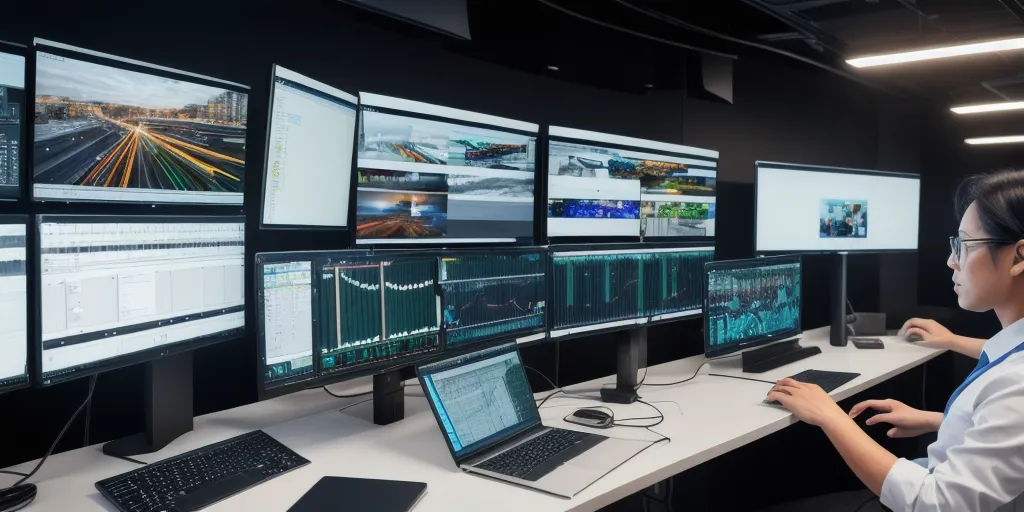
Beyond the foundational applications, artificial intelligence is pushing the boundaries of video editing speed through sophisticated, proactive techniques. These methods leverage machine learning to anticipate editor needs and automate complex processes, transforming how quickly and creatively edits can be realized. This section delves into these cutting-edge advancements that significantly boost efficiency.
AI-Driven Smart Editing Suggestions
Intelligent editing systems can now analyze footage and context to offer contextually relevant editing suggestions. This goes beyond simple cut detection, understanding narrative flow, emotional tone, and pacing. AI models are trained on vast datasets of successful edits across various genres, enabling them to propose optimal cuts, B-roll placements, and even stylistic treatments. For instance, an AI might suggest cutting to a close-up during a moment of high tension in an interview, or recommend a specific montage sequence based on the music’s tempo and lyrical content.
These suggestions are often presented in a non-intrusive manner, allowing the editor to accept, reject, or modify them. This collaborative approach between human intuition and AI analysis accelerates the decision-making process, freeing up the editor to focus on higher-level creative choices rather than the minutiae of selecting the next clip.
AI Prediction and Automation of Transitions
The seamless flow between scenes is crucial for engaging viewers, and AI is becoming adept at automating and optimizing this process. By analyzing the content and visual characteristics of adjacent clips, AI can predict and automatically apply appropriate transitions. This includes not only standard cuts and dissolves but also more dynamic transitions that match the visual style or narrative momentum.
For example, an AI might analyze the dominant colors and motion vectors of the outgoing and incoming clips. If the outgoing clip features a fast pan to the right and the incoming clip begins with a similar motion, the AI could suggest a whip pan transition that visually links the two scenes fluidly. Similarly, if the clips share a similar color palette and emotional tone, a smooth cross-dissolve might be recommended.
This predictive capability significantly reduces the manual effort of selecting and applying transitions, ensuring a polished look with minimal intervention.
AI for Generating Animated Elements and Graphics
A significant time sink in video editing is the creation of custom animated elements and graphics. AI is emerging as a powerful tool to automate this process, generating dynamic visuals based on textual prompts or existing footage. This allows editors to quickly incorporate sophisticated motion graphics, lower thirds, or even abstract animations without requiring specialized design skills or extensive manual animation work.
Consider a scenario where an editor needs to create a branded animated intro for a series. Instead of manually keyframing each element, they could provide the AI with the brand logo, desired color scheme, and a brief description like “energetic animation with a futuristic feel.” The AI would then generate several animation options, which the editor can refine or select from.
Another application is the automatic generation of data visualizations or kinetic typography based on imported text and desired styles, dramatically speeding up the creation of informative and visually appealing content.
Visualizing AI’s Impact on Editing Time
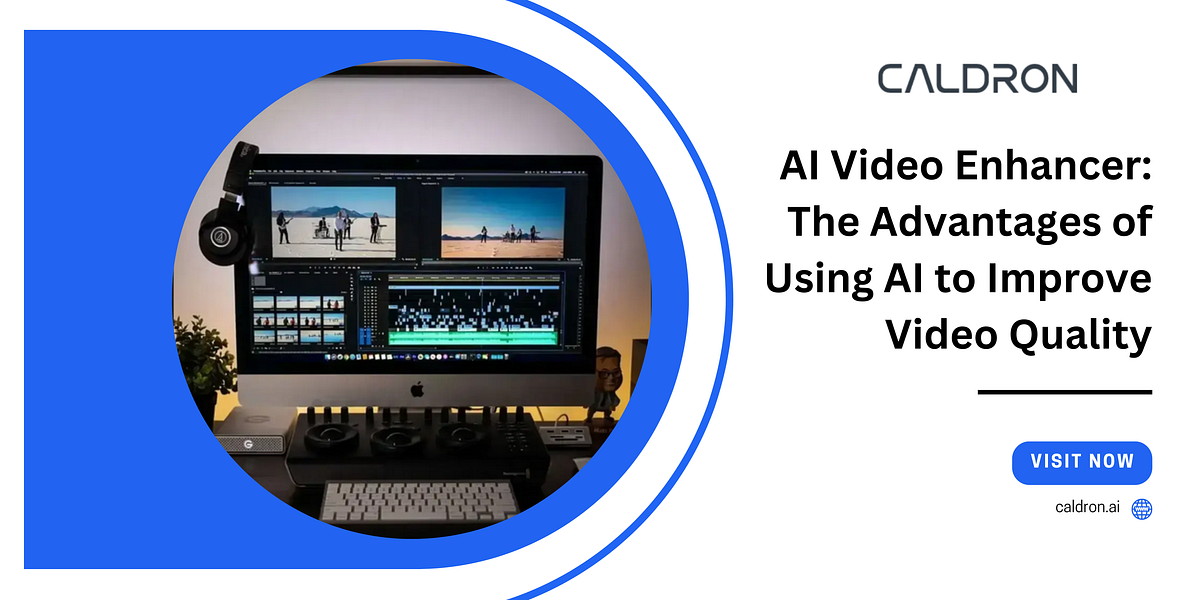
Understanding the tangible benefits of AI in video editing is best achieved through clear visualization. By comparing traditional workflows with AI-assisted approaches, we can quantify the time savings and efficiency gains. This section will explore how to represent these differences visually, making the impact of AI readily apparent to editors and production teams.The transformation AI brings to video editing is not merely theoretical; it translates into significant reductions in the time required to complete projects.
To truly grasp this shift, we can employ various visual aids that highlight the contrast between manual effort and intelligent automation.
Timeline Comparison: Traditional vs. AI-Assisted Editing
To illustrate the dramatic time savings, consider a visual timeline. This timeline would depict key stages of the video editing process, with distinct segments representing the duration of each stage under a traditional workflow versus an AI-assisted workflow.A descriptive visual representation would feature two parallel lines. The top line, labeled “Traditional Editing,” would show longer durations for each phase. The bottom line, “AI-Assisted Editing,” would showcase significantly shorter durations.
For instance:
- Ingest & Organization: Traditional might take 2 hours; AI could reduce this to 15 minutes through automated metadata tagging and scene detection.
- Rough Cut: Traditional could be 4 hours; AI-powered storyboarding or automatic assembly could bring this down to 1 hour.
- Fine Cut & Color Correction: Traditional might be 6 hours; AI tools for auto-grading and intelligent color matching could shorten this to 2 hours.
- Audio Mixing & Sound Design: Traditional could be 3 hours; AI-driven noise reduction and automatic leveling might reduce this to 45 minutes.
- Export & Rendering: While AI’s direct impact here is less about time saved in the process itself and more about faster completion of preceding stages, it indirectly contributes to quicker final output.
The visual would clearly show the cumulative reduction in total project time, emphasizing the substantial efficiency leap.
Time Spent on Common Editing Tasks: With and Without AI
A comparative table provides a precise, data-driven view of how AI streamlines specific editing tasks. This format allows for a direct, numerical comparison of time investment.
| Editing Task | Time (Traditional) | Time (AI-Assisted) | Time Saved (AI) |
|---|---|---|---|
| Importing and Logging Footage | 1.5 – 3 hours | 10 – 20 minutes | Up to 90% |
| Transcribing Dialogue | 1 – 2 hours per hour of footage | 5 – 10 minutes per hour of footage | Up to 90% |
| Identifying Key Shots/B-roll | 2 – 4 hours | 30 – 60 minutes | Up to 75% |
| Basic Color Correction | 1 – 2 hours | 15 – 30 minutes | Up to 75% |
| Noise Reduction and Audio Cleanup | 1 – 3 hours | 20 – 40 minutes | Up to 80% |
| Generating Subtitles/Captions | 1 – 2 hours | 5 – 15 minutes | Up to 90% |
This table highlights that for many foundational tasks, AI can reduce the time commitment by 75% or more, freeing up editors to focus on creative aspects.
Animated Graphic Illustrating AI Efficiency Gains
Imagine an animated graphic that visually represents the concept of “editing velocity.” This animation could begin with a single, slow-moving cursor representing a traditional editor navigating through raw footage. As the animation progresses, AI elements would appear—like intelligent algorithms represented by rapidly scanning lines or intelligent icons.The graphic would start with a representation of a complex project, perhaps a large pile of unedited clips.
A traditional editor’s cursor would painstakingly move through, selecting, cutting, and arranging clips. This process would be depicted as slow and deliberate, with the project timeline filling up gradually.Then, the animation would transition to the AI-assisted workflow. As AI tools are introduced, represented by dynamic visual effects, the cursor’s movement would become significantly faster. Automated processes like scene detection would be shown as rapid, sweeping lights that instantly categorize clips.
AI-powered transcription would appear as text rapidly appearing over spoken words. Auto-color grading would be depicted as a smooth, sweeping wave of color correction applied across multiple clips simultaneously.A key visual element would be a progress bar or a shrinking project completion meter. In the traditional segment, the meter fills slowly. In the AI segment, it accelerates dramatically, showing the project nearing completion in a fraction of the time.
The animation could conclude with a side-by-side comparison of the completed projects, with the AI-assisted version appearing polished and ready in a significantly shorter timeframe than its traditional counterpart. This visual narrative powerfully communicates how AI amplifies an editor’s capacity, turning hours of manual labor into minutes of intelligent automation.
Summary
As we conclude, it’s evident that artificial intelligence is no longer a peripheral player but a central force in modern video editing. By embracing AI-powered solutions, you can dramatically reduce the time spent on laborious tasks, allowing for greater creative exploration and a more agile production process. This shift not only enhances efficiency but also opens doors to innovative techniques and superior final products, ensuring you stay ahead in the ever-evolving landscape of video content creation.